Network Planning & Scheduling
2022
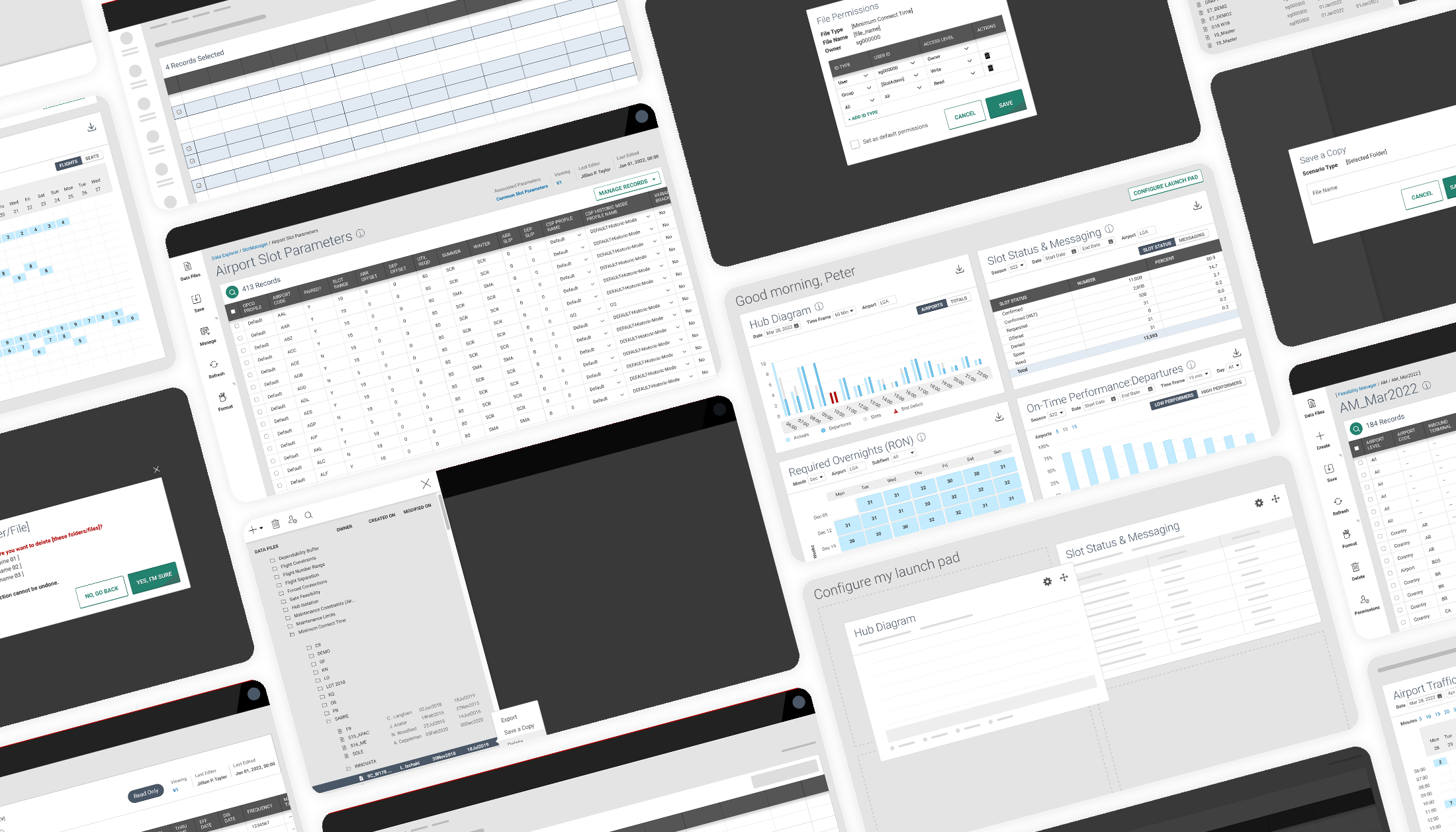
Snapshot
Modernizing a 30-year legacy flight management system under a 90-day deadline
Problem
Modernize a 30-year-old desktop application into an accessible, web-based platform with no clearly defined product vision.
Role
Directed two designers and partnered with research; led stakeholder workshops to define product intent, system logic, and constraints while ensuring alignment to enterprise design standards.
Complexity
No formal product definition, deeply embedded legacy workflows, multiple personas, limited engineering collaboration, and a fixed 90-day delivery window.
Outcome
Delivered a responsive, ADA-compliant system within strict timelines, establishing structure and alignment in an otherwise undefined problem space.
1. Context & Business Problem
Network Planning & Scheduling is a real-time decision support system used to manage flight schedules.
In 2022, Sabre initiated migration of this 30-year-old Ruby on Rails desktop application to a modern web-based platform. The objective was to:
- Improve usability
- Achieve ADA compliance
- Align with the enterprise design language
- Preserve operational continuity during transition
However, the engagement began without a defined scope of work, documented requirements, or clear prioritization.
We had 90 days to deliver.
2. Constraints & Complexity
This project operated under significant constraints:
- No formal product definition or needs statement
- Multiple personas, but limited scope for redesign
- Legacy workflows deeply embedded in user behavior
- Inherited non-accessible design artifacts
- Limited collaboration window with development due to timeline
- Strict handoff deadline
Additionally, this was not a greenfield redesign.
Users relied on this tool for operational decisions affecting live flight schedules.
Failure introduced real business risk.
3. Strategic Decisions
Given the compressed timeline and ambiguity, I made three strategic decisions:
- Extract and formalize requirements ourselves.
Rather than waiting for product documentation, we reverse-engineered user flows from demos and live tooling, then documented and validated them with stakeholders. - Focus on one persona and five high-impact flows.
Instead of attempting full-system redesign, we targeted high-leverage areas. - Establish consistent interaction patterns across modules.
We reframed the core problem as:
How might we infuse consistent, predictable patterns into a disconnected, large-scale system so each area feels familiar?
This allowed us to design beyond isolated screens and introduce systemic coherence.
4. Design Approach
We prioritized the post-login dashboard as the central control surface.
Work included:
- Designing modular widgets with scalable interaction logic
- Testing individual components before evaluating full dashboard configuration
- Reworking inherited artifacts for ADA compliance
- Creating prototypes that clarified complex, non-linear workflows
- Producing detailed leave-behind documentation due to limited engineering overlap
Interaction Specifications
Where immediate improvements were not feasible, we structured enhancements into a backlog to extend value beyond the 90-day engagement.
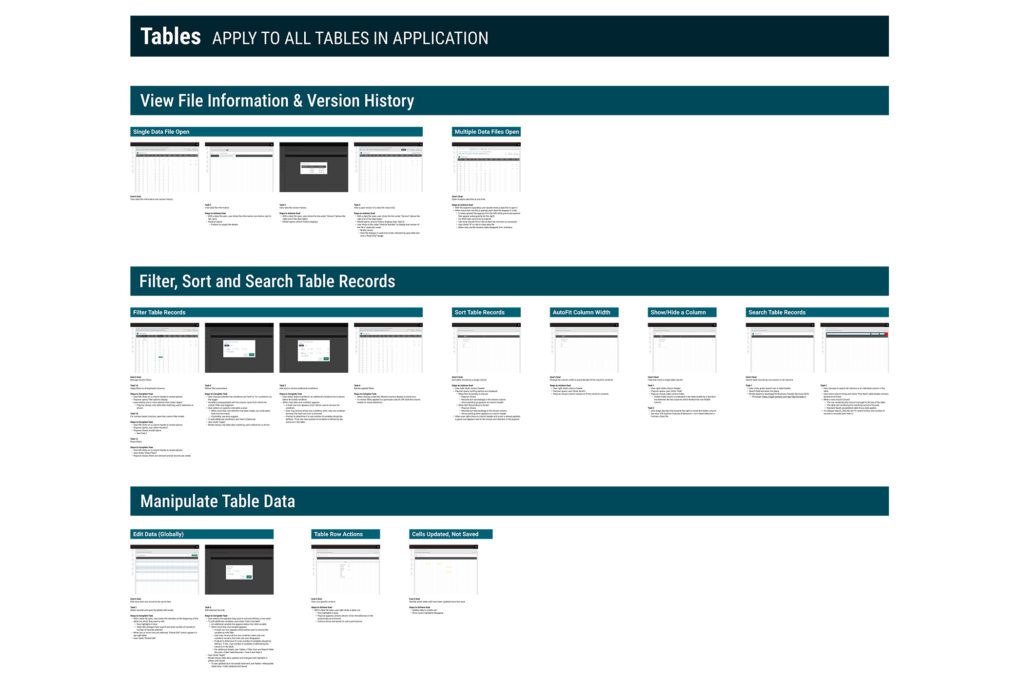
These artifacts helped ensure consistent implementation across engineering teams working on different modules, especially in a limited UX engagement.
5. Leadership & Influence
As design lead, I:
- Directed two UX designers and partnered with one researcher
- Facilitated stakeholder workshops to define product intent
- Documented system logic and constraints
- Divided workstreams and reviewed deliverables for consistency and hierarchy
- Ensured alignment with enterprise design standards
- Presented iterative solutions to product leadership
- Managed delivery timelines under strict constraints
In effect, the UX team stabilized a project that began without definition and delivered a structured, scalable foundation for continued modernization.
6. Outcomes & Impact
Usability testing revealed:
- Users successfully identified key dashboard insights and next actions
- Participants adapted to the shift from desktop legacy to responsive web interface
- Ease-of-use ratings averaged 4–5 out of 5
- Iterative refinements improved action clarity and flow efficiency
Most importantly, the team delivered a compliant, responsive system within the 90-day engagement window.
Stakeholder Feedback
“It’s clear you’ve thought about each interaction and gaps. As a team, you make research easier, and you make your product teams proud.”
Operational Dashboard
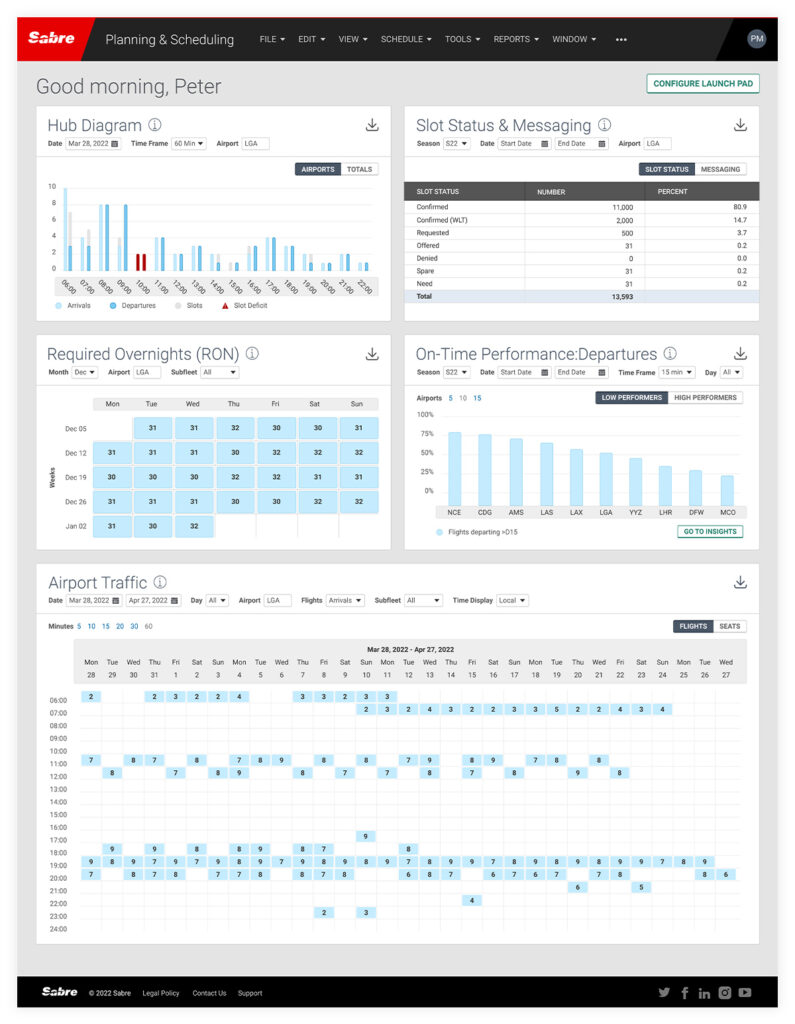
The redesigned dashboard acted as a central control surface, using modular widgets to surface critical operational insights while allowing scalable expansion across scheduling workflows.
Scenario Modeling
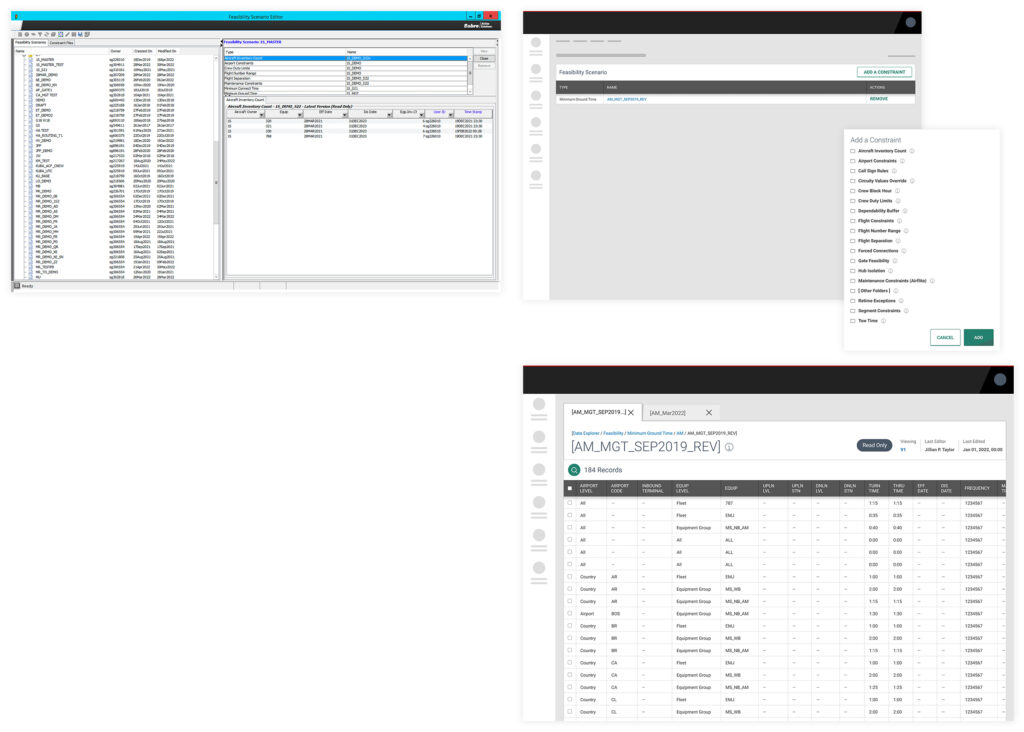
Legacy scenario tools were dense and inconsistent. The redesigned interaction model introduced clearer hierarchy and more predictable interaction patterns, improving usability without disrupting familiar workflows.
System Configuration
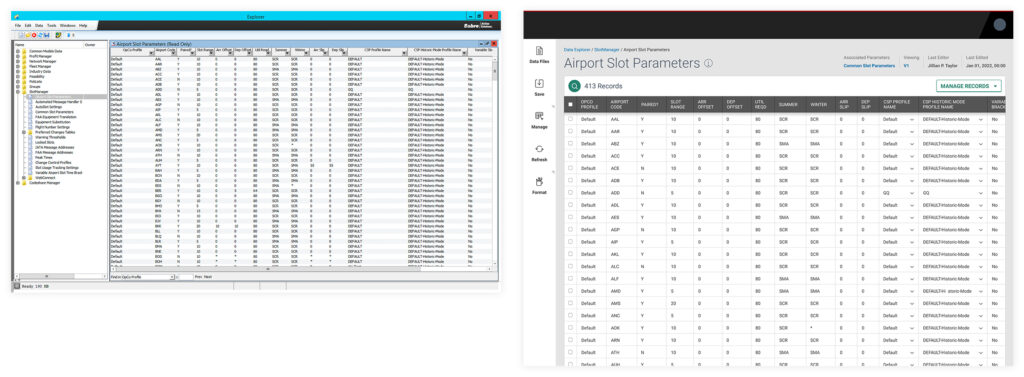
Parameter configuration screens were modernized for clarity and accessibility, aligning interaction patterns with the enterprise design language while preserving complex operational capabilities.
7. Reflection
This project reinforced a core principle of enterprise UX:
Modernization is not about visual refresh.
It’s about introducing systemic consistency into complex, legacy environments without disrupting operational continuity.
By formalizing ambiguity, narrowing scope strategically, and prioritizing scalable patterns, we created a foundation for long-term evolution rather than short-term cosmetic change.